Building new Emulation Application – EmuHub
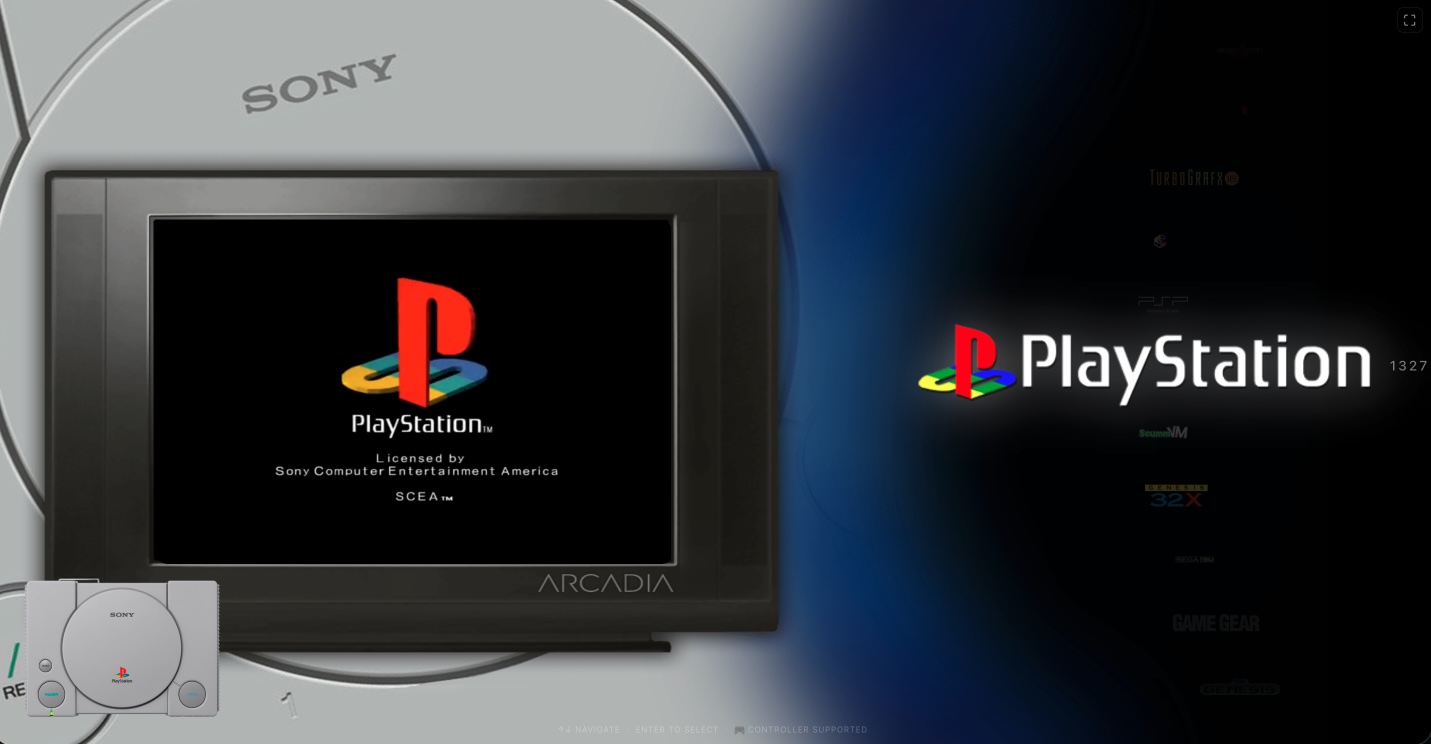
EmuHub – Frontend

It’s been a while since my last update, but for good reason—I’ve been busy working on something I’m genuinely excited to share.

If you’ve spent any time in the emulation scene, you’ve probably come across EmulatorJS—and more specifically, the excellent build from Linuxserver.io. Their version offered a clean, user-friendly frontend that made managing and playing retro games incredibly accessible. Unfortunately, that particular build has since been discontinued. The good news, though, is that the core EmulatorJS project is still very much alive and continuing to improve.

That got me thinking.

I really liked the frontend style that Linuxserver.io created, but I also wanted to take advantage of the newer cores and ongoing advancements from the EmulatorJS team. On top of that, I saw an opportunity to expand things even further—bringing in additional cores directly from Libretro, including some older or less commonly compiled ones like BlueMSX.

So… long story short—I decided to build my own.

Right now, the working title is EmuHub, though that may evolve over time. The goal behind EmuHub is to create a powerful, flexible emulation platform that blends a polished, “HyperSpin-style” frontend experience with a robust and intuitive backend management system.

At its core, EmuHub is designed to be simple to deploy and easy to manage. It runs via Docker and provides two main interfaces: a management backend (default port 3000) and a user-facing frontend (default port 80). From there, everything is built to streamline the setup and customization process as much as possible.

Key Features

Automated Configuration Interface
EmuHub includes a streamlined configuration system that automatically generates all necessary files and game lists for the frontend. A built-in ROM scanner ensures your library is properly structured and verifies that everything is in place before building out the configuration.

Expanded Core Support
In addition to downloading all officially supported EmulatorJS cores, EmuHub allows you to easily add extra cores—including those available through Libretro and others that aren’t typically bundled.

Integrated Media Scraper
A built-in scraper pulls in artwork such as box art, screenshots, videos, and wheel logos for both games and systems. Currently, this feature integrates with ScreenScraper to provide rich media content automatically.

Library Management Tools
Manage your collection with ease—upload custom artwork, manually scrape metadata, or hide titles you don’t want displayed in your frontend.

BIOS Manager
Handling BIOS files can be a pain, so EmuHub simplifies it. With MD5 verification, upload tools, and automatic placement, it ensures everything is correctly named, validated, and stored where it belongs.

Theme Customization
A full theme manager lets you modify system themes or create your own. You can use default assets, scraped media, or custom uploads—and even fine-tune layouts with a built-in editor to position videos and artwork exactly how you want.

Advanced Configuration Editor
For those who like control, the config editor allows direct customization of system settings, including selecting preferred cores when multiple options are available.

System Settings & Tools
Additional utilities include configuration import/export, a Docker Compose generator to simplify deployment, and various system-level settings to tailor the experience to your needs.
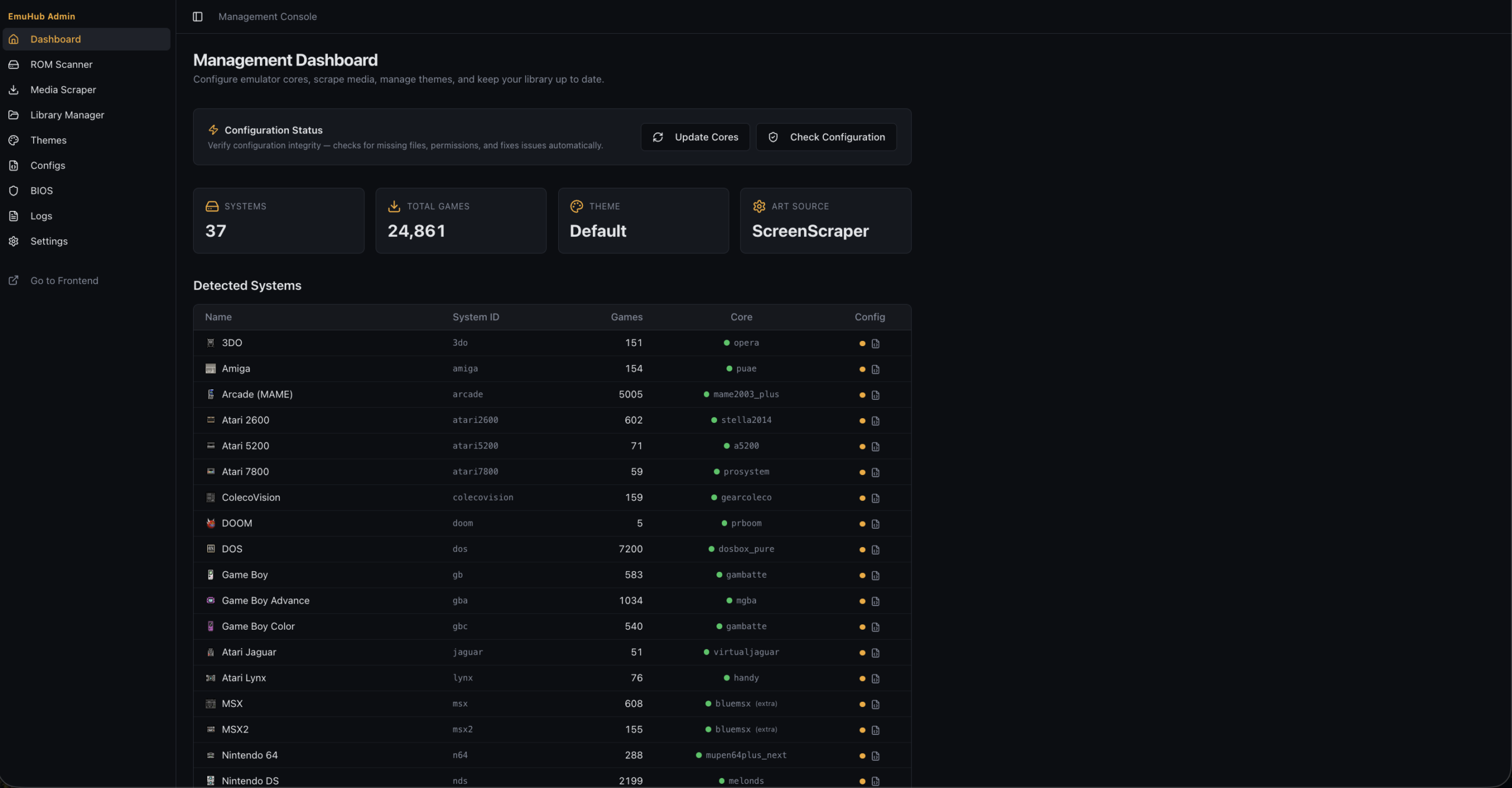
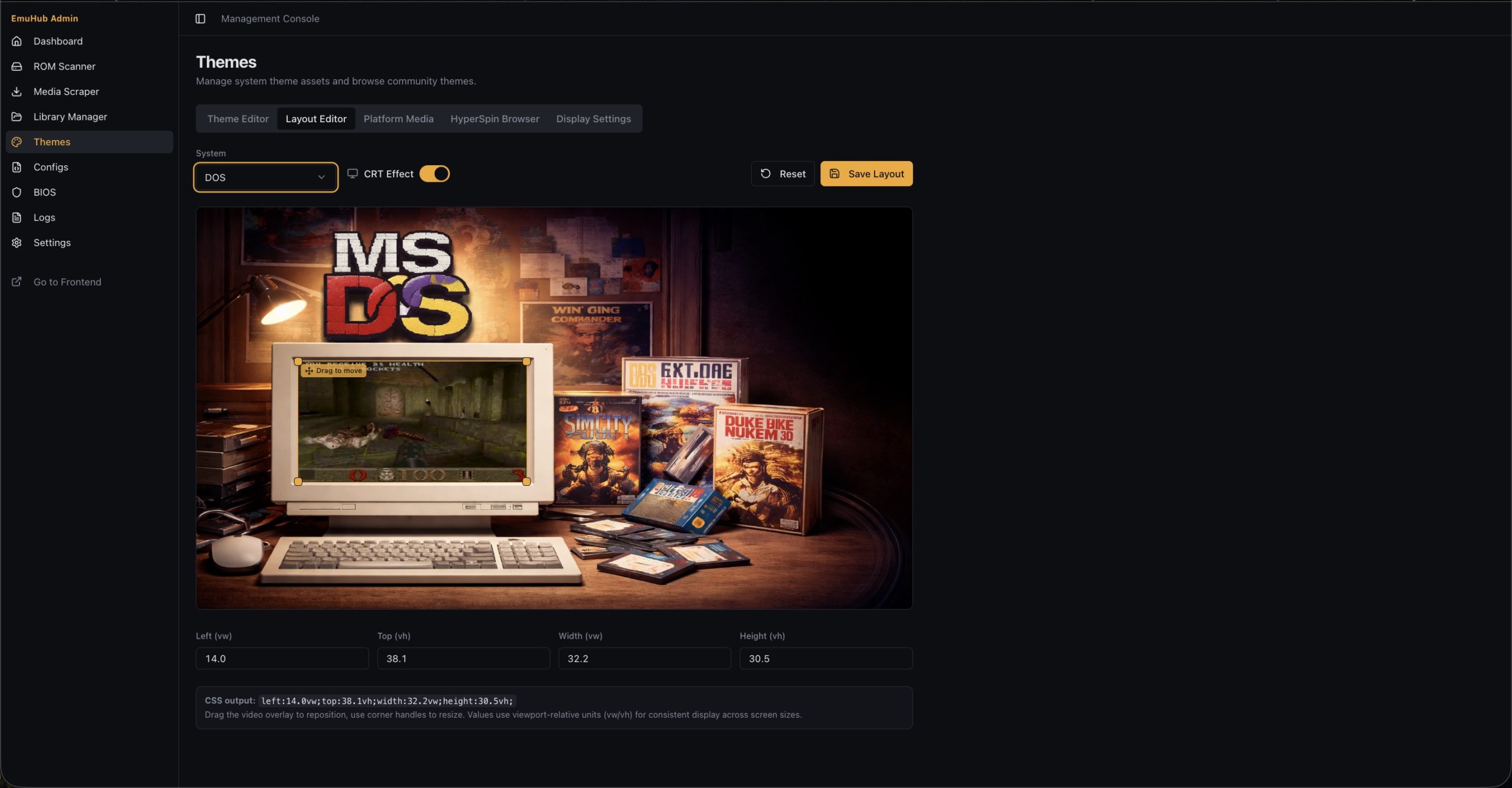
Main Dashboard & Layout Editor

This is still a work in progress, but it’s shaping up to be something really special. I’m building it first and foremost for myself—but I’m hoping others in the emulation and retro gaming community will find it just as useful.

Also, to note – the themes are likely going to change…and if I have it my way…I will have a theme browser/downloader as well (if you notice the “HyperSpin Browser” there 😏)

The Github Repo is not yet public facing, but it should be released in the near future.

More updates to come soon!

Boxer Updates

https://boxer.thec0de.com is getting some attention!

I’m glad to see people are still into retro games and love Boxer specifically as it’s a fantastic implementation of the DosBox core. It is true to the Mac “Easy to use” style, looks super cool (especially the MT-32 emulation with display!), and works great. I do hope to see continued work on this from MaddTheSane and others so we can continue to preserve the project far in to the future for many generations to enjoy.

I also wanted to give a shout-out and thanks to the folks at 56tvmao.com for referencing us in one of their articles!

https://www.56tvmao.com/index.php/2025/01/09/playing-old-dos-games-on-macos-with-dosbox/

Looking forward to more cool projects in the future for Dos and other retro things.

Happy New Year! Let’s make it a great 2025 🍻

EmulatorJS 4.x Added to Emulation Section

Hello Everyone – it’s been a while!

I’ve been working on emulation stuff for a bit and have added the EmulatorJS suite to the emulation section here:

https://thec0de.com/emulation/consoles/

I have a retro project using this core which is much better but I can’t release it to the public (at least not yet) because of 1) legality concerns and 2) security concerns.

The emulators available right now require you to provide your own roms. The retro system I have provides them…and as you can image this runs in to grey zones in legality. I don’t want any legal issues for bringing the classic retro passion to folks (which makes me $0 lol). The greatest concern is security though…The software was designed to be used locally, not over the internet.

Hopefully as time progresses – legality and security issues will be addressed. Until then – Enjoy!

Added Boxer 4.1 Beta

I have updated the Boxer versions on boxer.thec0de.com to include both 2.0 and 4.1 Beta.

The reason for this update was to have a version that supports Apple Silicon CPUs. If you want to read more about it you can check the github repo here:

https://github.com/MaddTheSane/Boxer/releases/tag/AS-beta-4.1

There is a known bug worth mentioning:

Quitting Boxer after running DOS causes Boxer to crash.

I take no credit for this build – It is credited to MaddTheSane.

Introducing our new Boxer Fork Site (64-bit Support)

Happy New Year!!!

2021 – I decided to compile MaddTheSane’s Boxer fork on BigSur and make a site in honor of Boxer’s continued life!

https://boxer.thec0de.com

This build works on 10.15 (Catalina) and 11.0 (BigSur). It’s basically MaddTheSane’s with minimal personal tweaks. I take no credit for the work here … I just appreciate his, the original author’s work, and the DOSBox team for making retro gaming possible in 2021’s modern 64-bit operating systems.

Minimal testing on this – If you have any problems you can post them on MaddTheSane’s Github. Hope you enjoy it folks!

Edit – Had some distribution issues with signing of app. I have a copy I found here instead which works until then.

64-bit Version of Boxer for OSX Catalina 10.15

UPDATE 01/06/21: https://thec0de.com/introducing-our-new-boxer-fork-site-64-bit-support/

https://boxer.thec0de.com

UPDATE 12/18/19: Posting some updated custom builds – Note, there are performance issues being reported by many users. The Boxer builds are running less FPS and some audio is not the same. However – it works on Catalina. If you haven’t tried it yet – you CAN use DosBox…but…we all DO love Boxer 😉

So the latest version of MacOS will no longer support 32-bit applications. Yes…Apple is doing it again like they did with Rosetta support, and other lovely things in the past that get old. They like to move forward, and make you move too (like it or not). To read more about this you can see here: https://support.apple.com/en-us/HT208436

Unfortunately…This includes one of my favorite apps: Boxer – An awesome DOSBox Emulator with GUI and MT-32 ROM support. I was sad to see that this application hasn’t been already updated to have the support, so I figured someone might have done it already. Did some Google-Fu and it turns out a person named “Yozy” did it!

Forum I found it from:
https://www.dosgameclub.com/forums/topic/boxer-app-64-bit/

File Link:
https://yozy.net/files/downloads/2019/Boxer-2019-03-03.zip

Github Ticket for adding 64-bit support:
https://github.com/alunbestor/Boxer/issues/76

You’ll notice I’ve also posted this information on the Github link in hopes the developers see it and may be able to take advantage of this, or get some help from Yozy to update the main branch 😉

UPDATE (1/1/2021 – dropbox links no longer work check update at top):
almeath commented Dead

Link to 64-bit Boxer (pre-built from Maddsv2 fork) as of November 7, 2019:

https://www.dropbox.com/s/ezz0pqgiikogqep/maddsV2%2011.07.2019.zip?dl=0

almeath commented Dead

Link to 64-bit Boxer (pre-built from Maddsv2 fork) as of December 7, 2019 with reversions for MT32Emu and Munt:

https://www.dropbox.com/s/nwvw2q9kwxxbd2l/maddsv2%2012.07.2019.zip?dl=0

Missed it?! Check https://boxer.thec0de.com

Forked ScummVM-Emscripten port for DOS Games

I tried to compile the ScummVM-Emscripten port by juj without initial success. So…I had to hack up the configure script and a file (forbidden.h) to make it work with Ubuntu 18.04 Emscripten 1.38.27 (latest at the time of this post).

https://github.com/gr33k/emscripten-scummvm

I haven’t modified it more than that though…overall the project looks abandoned and hasn’t been improved or documented very well (i.e. where is scummvm.ini? How to package games correctly and autostart them. Full screen? pssh).

I’m working on tweaking the games to see if I can get Zak McKracken and the Alien Mindbenders FM-Towns version (the only 256 color version with great sound) working in my DOS Games section.

I’ve added quite a few games to this section and will continue to add some more 🙂

Updating DOS Games Section

For those of you that love the old DOS Classics and/or grew up playing them – We’ll I have a taste of some of that which you can play in your web browser:

Check out the “DOS Games” section at the top Menu!

(Firefox tends to work better than Chrome, but you can usually use either with good results.)

There are a couple of projects that use Emscripten…This allows you to compile C code to Javascript…so you can get something like DOSBox, ScummVM, etc working!

https://github.com/dreamlayers/em-dosbox (Standard Emscripten Port)
https://github.com/yksoft1/dosbox-0.74-2-em (YKsoft1’s Fork w/ MT-32)
https://github.com/yksoft1/dosbox-x-vanilla-sdl (YKsoft1’s Fork of Dosbox-x)

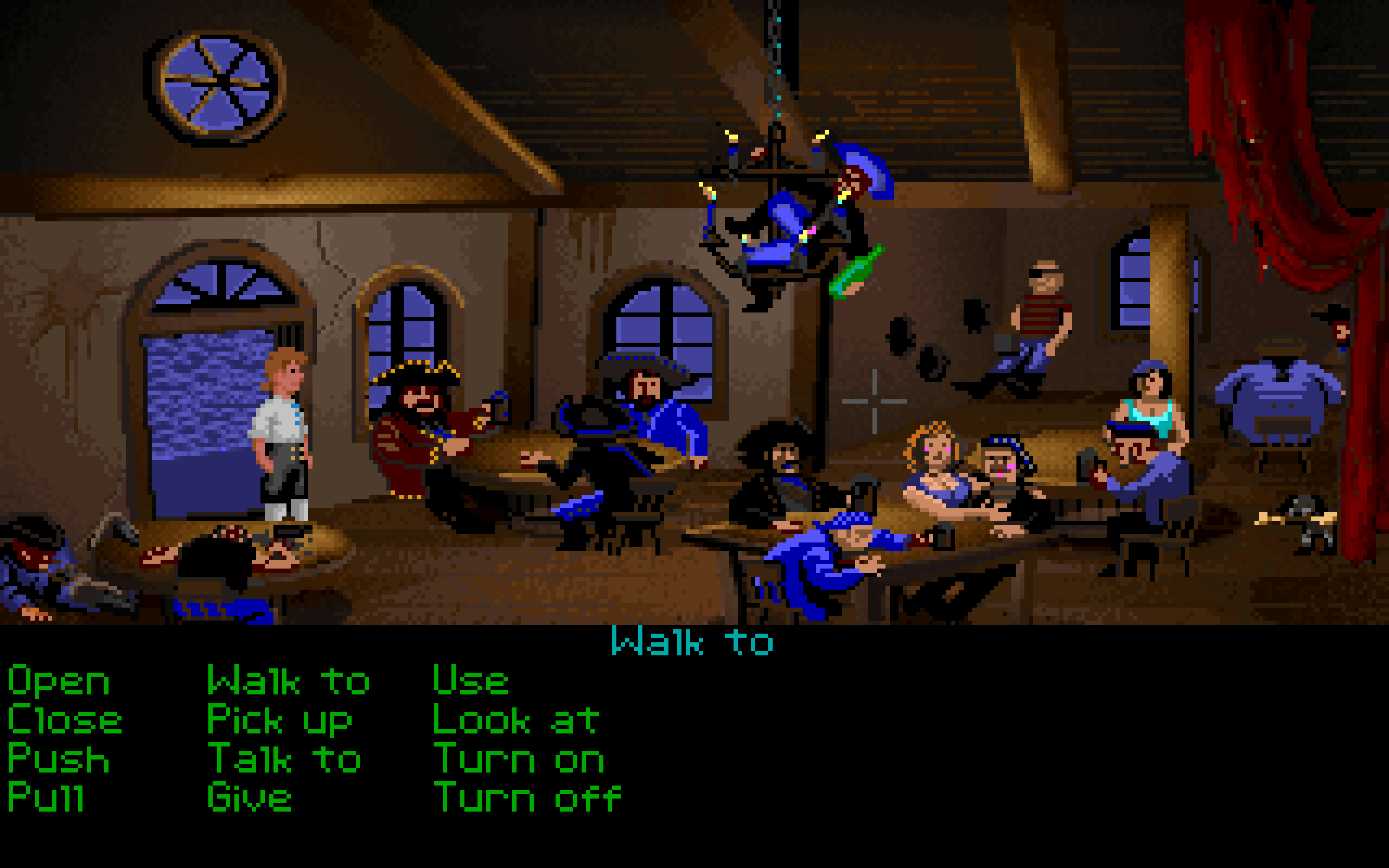
Once you get it compiled, you can get fullscreen web-browser gaming that looks like this:

The Secret of Monkey Island

The Secret of Monkey Island

If it wasn’t for DOS games, I would have never had such a big interest in computers when I was a kid. It was only due to the complex configuration that was required for each game (some times more, even involving bootdisks) that made me learn. It was difficult at first, but as with anything – gets easy with familiarity. Compiling this stuff is another story … lol.

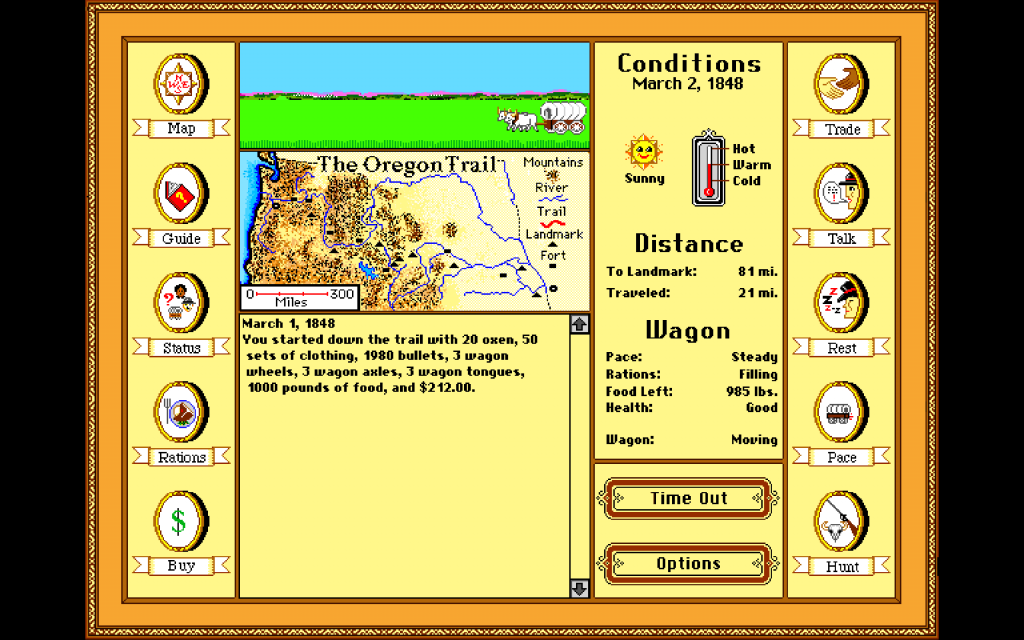
Oregon Trail

Oregon Trail

Growing up I couldn’t afford (or knew that it existed actually…) a Roland MT-32 sound card/interface. I, like most folks, had a Sound Blaster. Being able to play these games with Roland MT-32 is huge difference sometimes. There is also the Gravis UltraSound which was also great, but I never had. You can play these different games with different sound cards enabled.

Unfortunately, the MT-32 emulation is great on PC, but a bit laggy (for now) in the web browser DOSbox emulation. This is why I’ve put up 2 types (and also for comparison) of the two for some games.


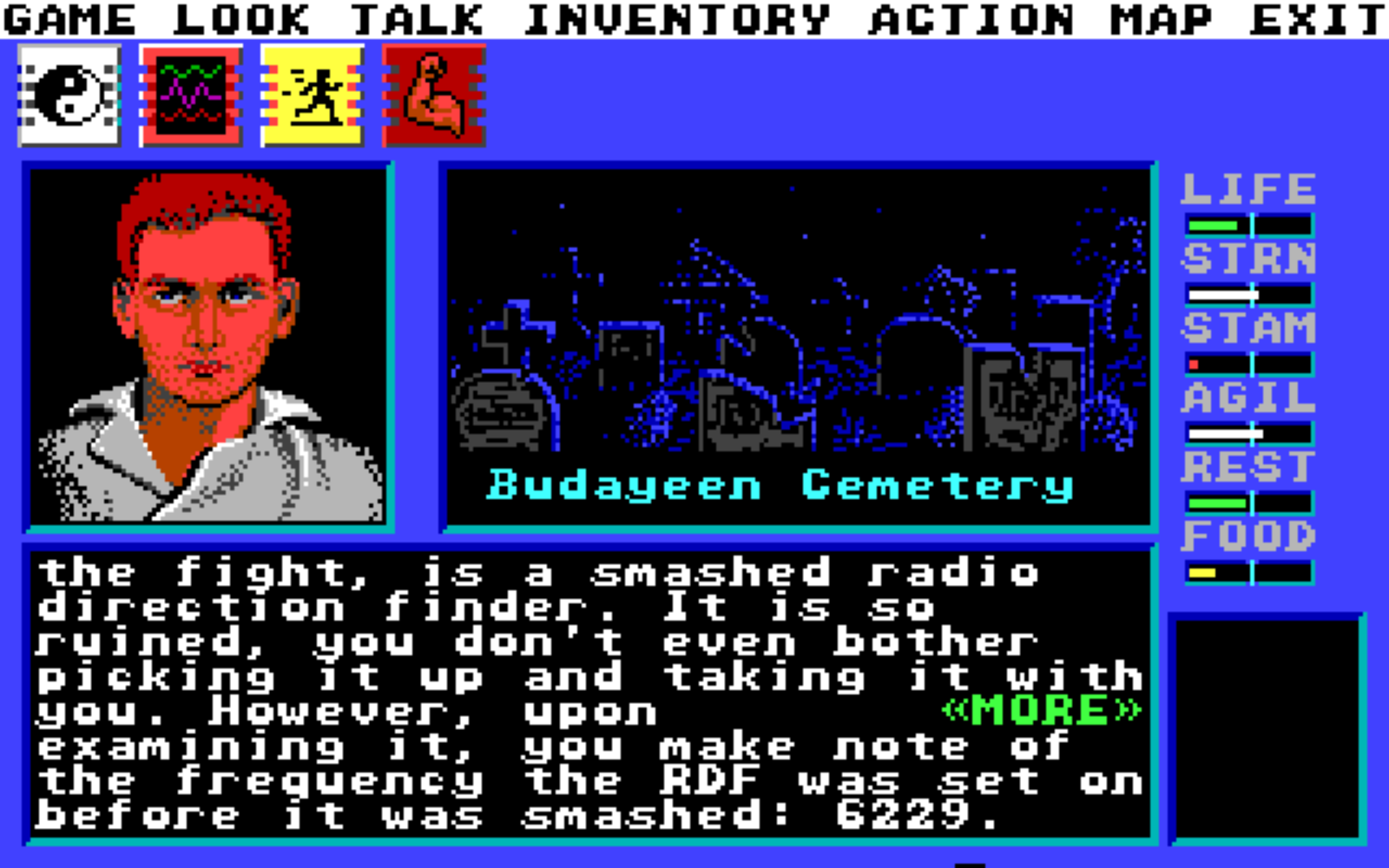
Circuits Edge

For the record – those screenshots are all from the fullscreen mode games…not some other emulator! If you run the non-mt32 versions…the games are quite playable. If you have a joystick connected – SDL will likely detect it too (Great for Red Baron!).

As far as copyright ownership – Abandonware is a grey area as I understand…but if anyone contacts me to take down any content…(Really? you can’t download or even save here…it’s more to get people to buy your game from GOG or other place!)…I’m happy to do so 😉 Most of these games have value to those who had them back in the day I would assume, so they already purchased these games.

P.S. -> Keep checking back for updates. I like to work on this on my spare time, so you will see more stuff pop-up here and there!